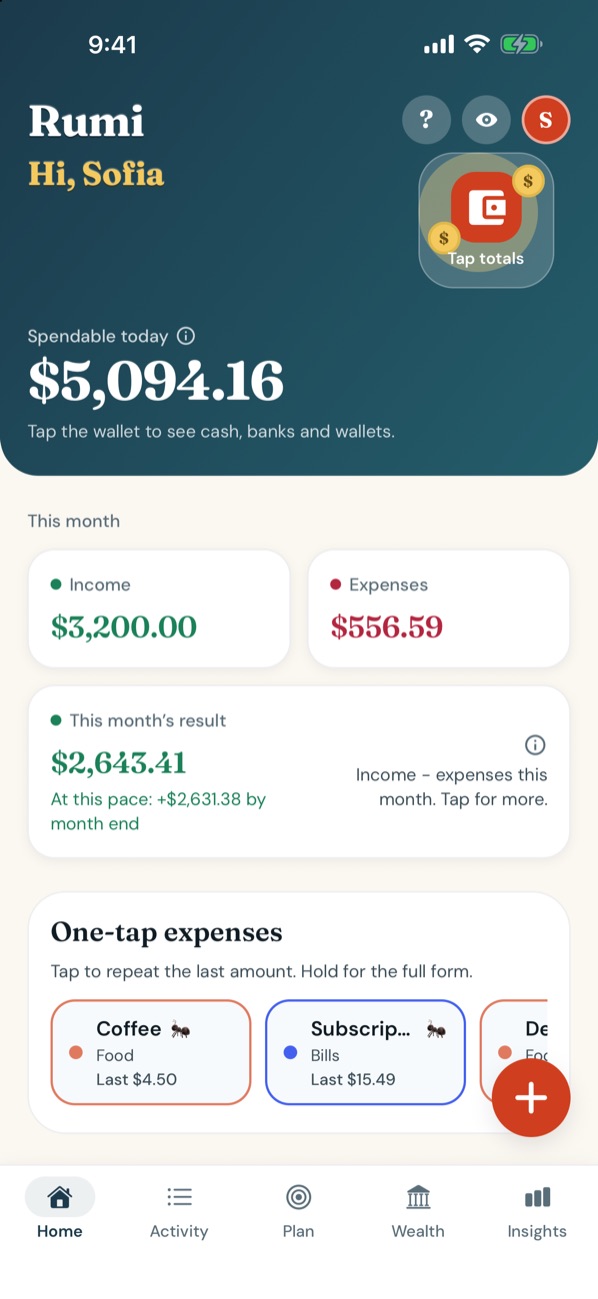
All your money, kept simple
Works in US dollars and Colombian pesos, in English and Spanish.
Log in seconds
Type or say “lunch 12” and Rumi files it in the right category.
Small spends add up
Coffee, delivery, subscriptions: see what the little things cost you.
Your data, yours
Everything stays encrypted on your phone. No server, no ads and no tracking.
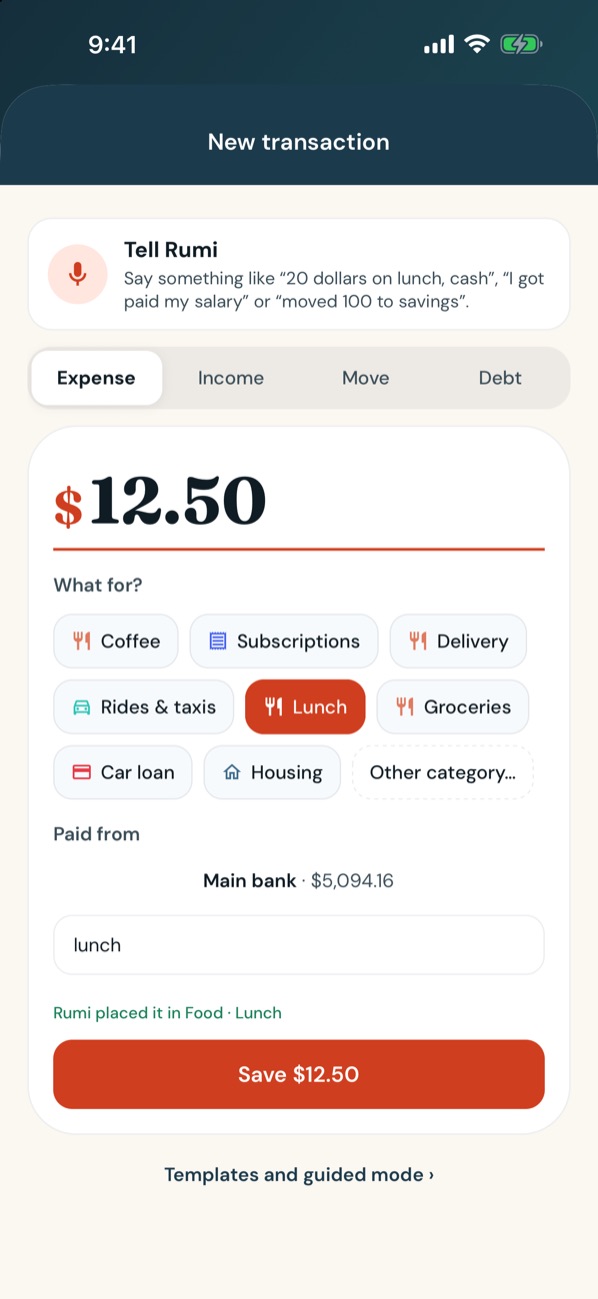
Log a spend before you put your phone away
Type how much and what for (“uber”, “groceries”, “gym”) and Rumi files it in your category. If the category doesn't exist, it creates it. Correct one, and it learns for next time.
- Dictate the spend with the microphone.
- Templates for coffee, delivery, transport, salary and savings.
- Expenses, income, debt payments and transfers between accounts.
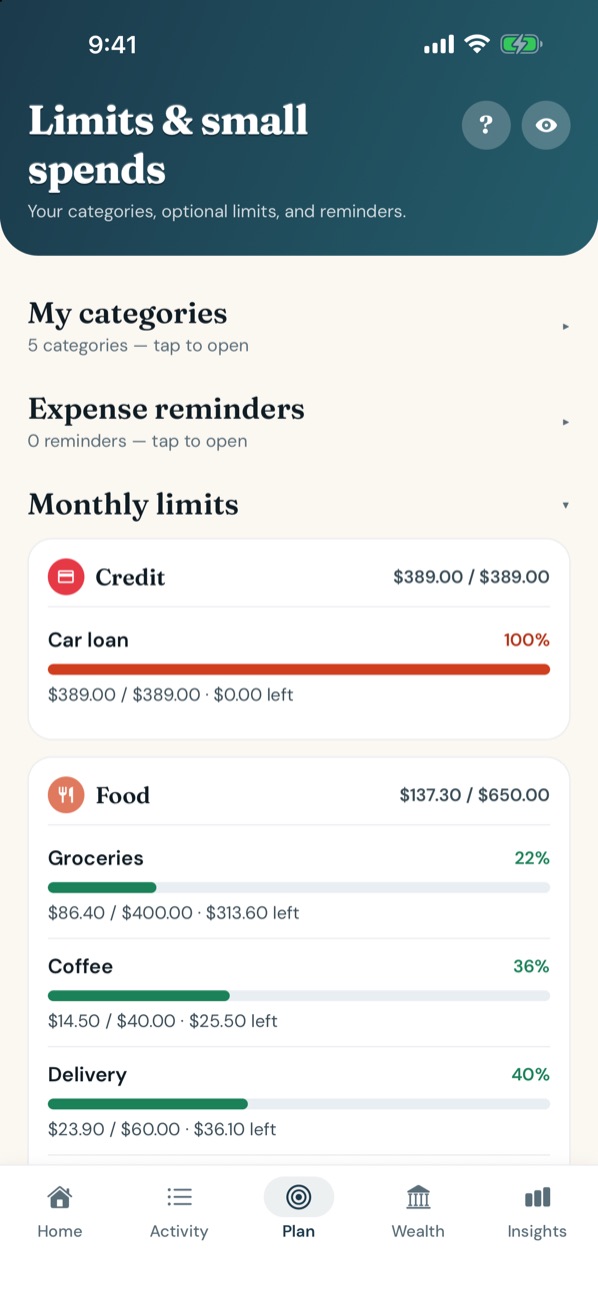
Limits that look out for you, reminders on time
Set a monthly limit on each spend you want to watch and see how much is left before you go over.
- A reminder the day before each loan payment.
- Rumi spots payments that repeat, like Netflix or rent, and suggests a reminder.
- Already paid? It won't remind you again.
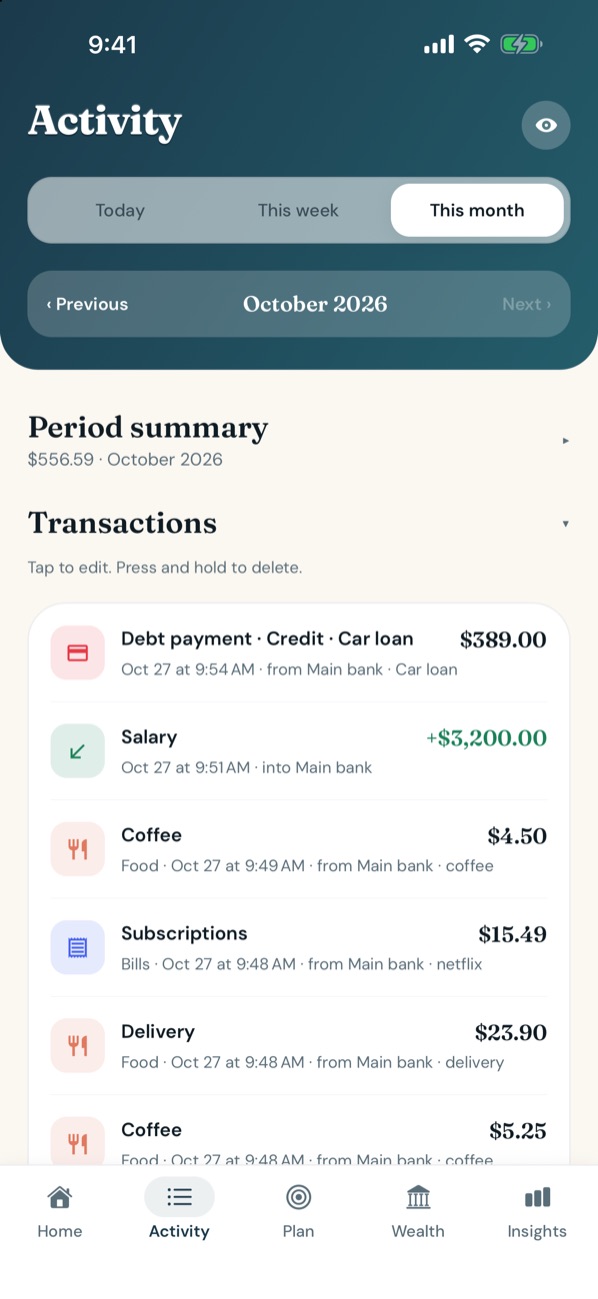
Every dollar, with its day and its account
See today's, this week's or this month's transactions, and what each category cost you month by month. Tap to edit, long-press to delete.
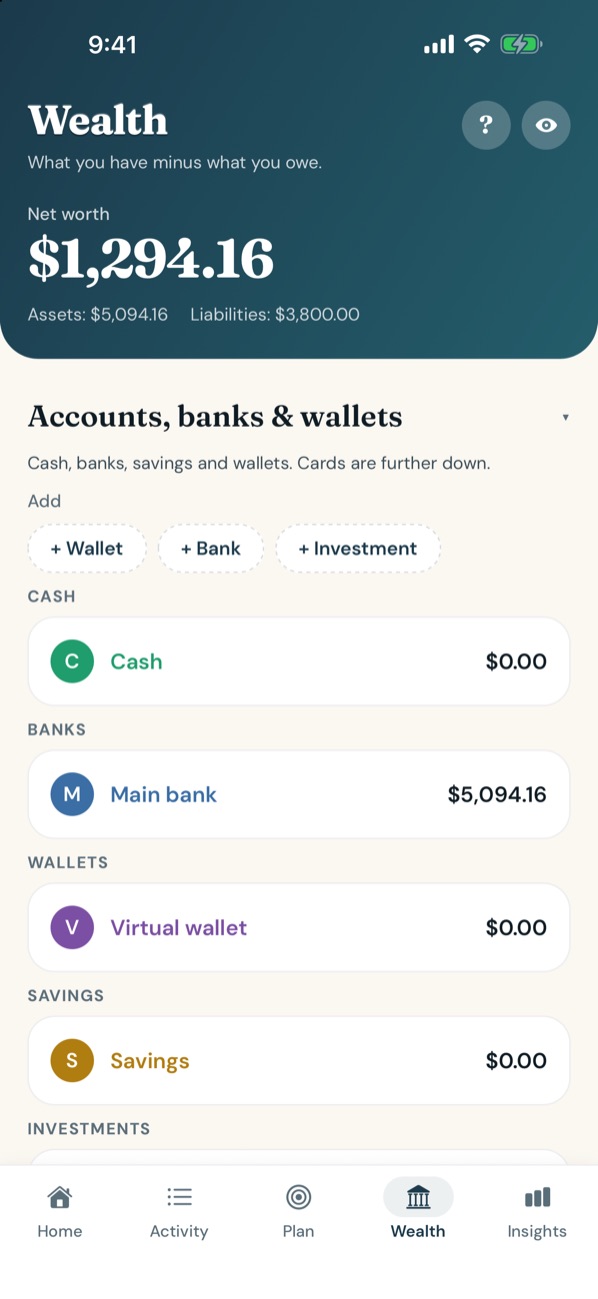
What you own minus what you owe
Banks, wallets like PayPal or Venmo, savings, investments, cards and loans in one place, with your net worth on top.
- Spending only comes out of accounts with a balance.
- Loans with their payments and what's left to pay.
Ask the way you'd ask a friend
Rumi answers with your own numbers and shows the transactions behind every answer. Everything is worked out on your phone.
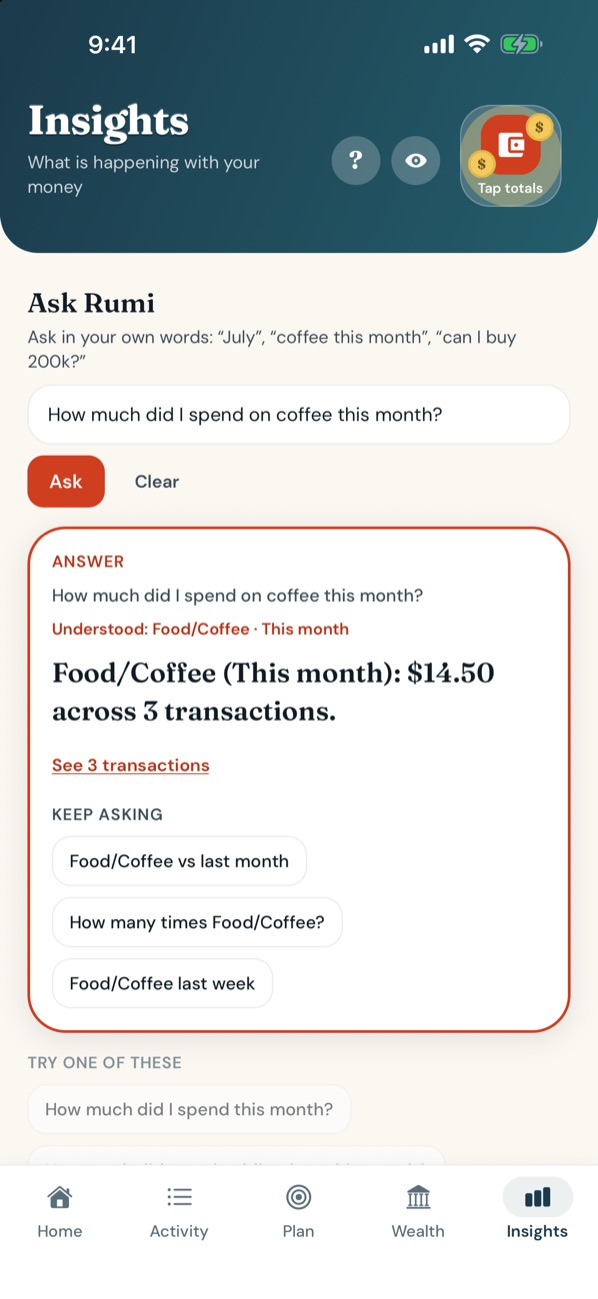
Sample amounts.
Why Rumi
No account, no bank link
No email or password, and it never connects to your bank. Open it and log.
Encrypted on your phone
Your data is stored encrypted (AES-256) and never goes to a server. Face or fingerprint lock, and an eye to hide amounts.
Android and iPhone
The same app on both. Export your data as CSV or JSON whenever you want.
Plans
Start free. Go Pro when you want more.
Free
$0, for good.
- Log expenses, income and debts, by voice too.
- Home, Activity, accounts and net worth.
- 5 questions to Rumi a month.
- 3 monthly limits and 3 reminders. Loan payment reminders, always.
Rumi Pro
Monthly or annual, with a 7-day free trial on the annual plan. The price shows in your currency on Google Play or the App Store.
- Unlimited questions to Rumi.
- Unlimited limits and reminders.
- New Pro features as they arrive.
- Paid and cancelled from Google Play or the App Store.
On both plans your data stays on your phone.
Frequently asked questions
Is Rumi free?
Yes. Rumi has a free plan with no ads, and a Rumi Pro plan for unlimited questions, limits and reminders.
Where is my data kept?
On your phone, encrypted. Rumi has no server and doesn't send your transactions over the internet. Details in the privacy policy.
Do I have to connect my bank?
No. You log your transactions, and Rumi never asks for bank passwords.
Does it work in US dollars?
Yes. You pick US dollars or Colombian pesos when you start, and the app follows your phone's language, English or Spanish.
What happens if I change phones?
In Settings, “Export backup” saves a file with your data that you can restore on the new phone. On iPhone, an encrypted iCloud backup also brings it over.
Where do I get it?
Rumi is live on the App Store for iPhone and on Google Play for Android. It's free.
Start seeing where your money goes
Rumi is in closed testing on Google Play. Join with your Android phone and your Google account.